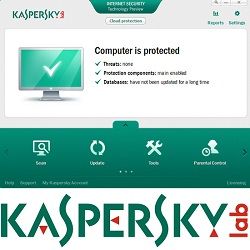
Please follow the below steps to Update the kaspersky Offline.
Step-1: Open the main page of the kaspersky. ( Kis 2010 for example) and click on the settings.
Step-2: Now on the coming window please click on the "My update center" first and then on "settings"
Step-4: On the coming new window please browse for the "kaspersky offline Updates" folder(not .rar file) which you have downloaded and saved. select it and click on OK button.
Step-5: Keep the settings uncheck the box against " kaspersky lab's update server" and check the box against the selected folder for your "offline kaspersky updates". and click on OK button:
Step-6: On this coming window please click on OK button.
Step-7: And finally you will again be on the main window of the kaspersky 2010. here click on "Start Update" And Your kaspersky will start updating. Wait for its completion and its done. Normally it takes 4 minutes at max.
Updating Datebase Only For :
KAV/KIS 11 - 11.0.2.556
KAV/KIS 12 - 12.0.0.374
PURE/KTS - 9.1.0.124
Windows OS : 32Bit & 64 Bit
================================
KAV/KIS 11 - 11.0.2.556
KAV/KIS 12 - 12.0.0.374
PURE/KTS - 9.1.0.124
Windows OS : 32Bit & 64 Bit
================================
Updates remain until
12 MAY 2012
303 MB
Use IDM [ internet download manager ] for download it
303 MB
Use IDM [ internet download manager ] for download it
Password: debrastagi
Tidak ada komentar:
Posting Komentar